How do you build a YouTube content calendar that actually survives? Give it a buffer and a feeder. A youtube content calendar fails not because the dates were wrong but because it has no reserve when a week goes bad and no queue of ready ideas to refill from. Fix both and the calendar stops being a wish list: four to six weeks of committed slots, two to four finished videos banked, and a monthly batch ideation run that fills the queue with scored ideas instead of Sunday-night guesses.
Everyone has built one. A tidy grid, colour-coded, four months of upload dates filled in with confidence on a Sunday afternoon.
Six weeks later it is a historical document.
The failure is predictable and it is not discipline. A youtube content calendar built as a list of dated titles has no shock absorber, so the first time a shoot falls through, an edit runs long or you simply get ill, the whole structure collapses to whatever you can film tonight.
Why Most Calendars Die in Week Six
Three structural faults, in order of how much damage they do.
No buffer. If today's upload is filmed today, every bad day is a missed upload. There is no version of discipline that fixes this, only inventory.
No feeder. The calendar has slots but no queue behind them. When slot 7 arrives empty you are ideating under deadline, which is when you pick the safe, saturated topic that underperforms.
No state. A grid of titles against dates cannot tell you that four videos are scripted but none are filmed. You find that out on the Tuesday.
A calendar that survives fixes all three, and the fixes are cheap.
Rule 1: Four to Six Weeks Committed, No More
Commit slots four to six weeks out. Keep ideas queued further ahead, but write scripts only one to two weeks in advance.
The window matters in both directions. Plan twelve months and your trend-sensitive ideas rot before the camera turns on, so you either film something stale or throw the plan away, which teaches you that plans are disposable. Plan two weeks and one bad week wipes you out.
Four to six weeks is long enough to batch and short enough that the ideas are still true when you film them.
Rule 2: Bank Two to Four Videos Before You Publicise a Schedule
This is the rule that actually produces consistency, and it is the one everybody skips because it means delaying the launch of your new schedule by a month.
The common recommendation is a buffer of two to four finished videos, and a four-week buffer is where most creators report the weekly anxiety disappearing. A buffer converts an emergency into a withdrawal. You did not miss an upload; you published from inventory and spent the week rebuilding it.
Practically: before announcing "new videos every Tuesday", have three Tuesdays already sitting finished on a drive.
Rule 3: Batch Film, Because the Cost Is Setup, Not Recording
Lighting, camera, audio, wardrobe, mental gear-change. That overhead is nearly identical whether you record one video or four, which is why batching is the single largest time saving available to a solo creator, commonly reported at 40 to 50 percent of production time versus one-at-a-time production.
Pick one filming day. Record three to five videos in the session. Quality usually improves rather than degrades, because nothing in that batch was shot the night before a deadline.
Batch filming has one prerequisite, and it is the thing most creators do not have: three to five scripts ready at once. Which is a youtube content calendar feeder problem, not a filming problem.
Rule 4: Feed the Calendar From a Scored Queue, Not From Memory
Here is where ideation and the calendar connect, and where most planning advice stops short.
Filling slots from memory biases you toward whatever you thought about most recently and blinds you to what your audience asked for three months ago. Filling them from a scored queue does not.
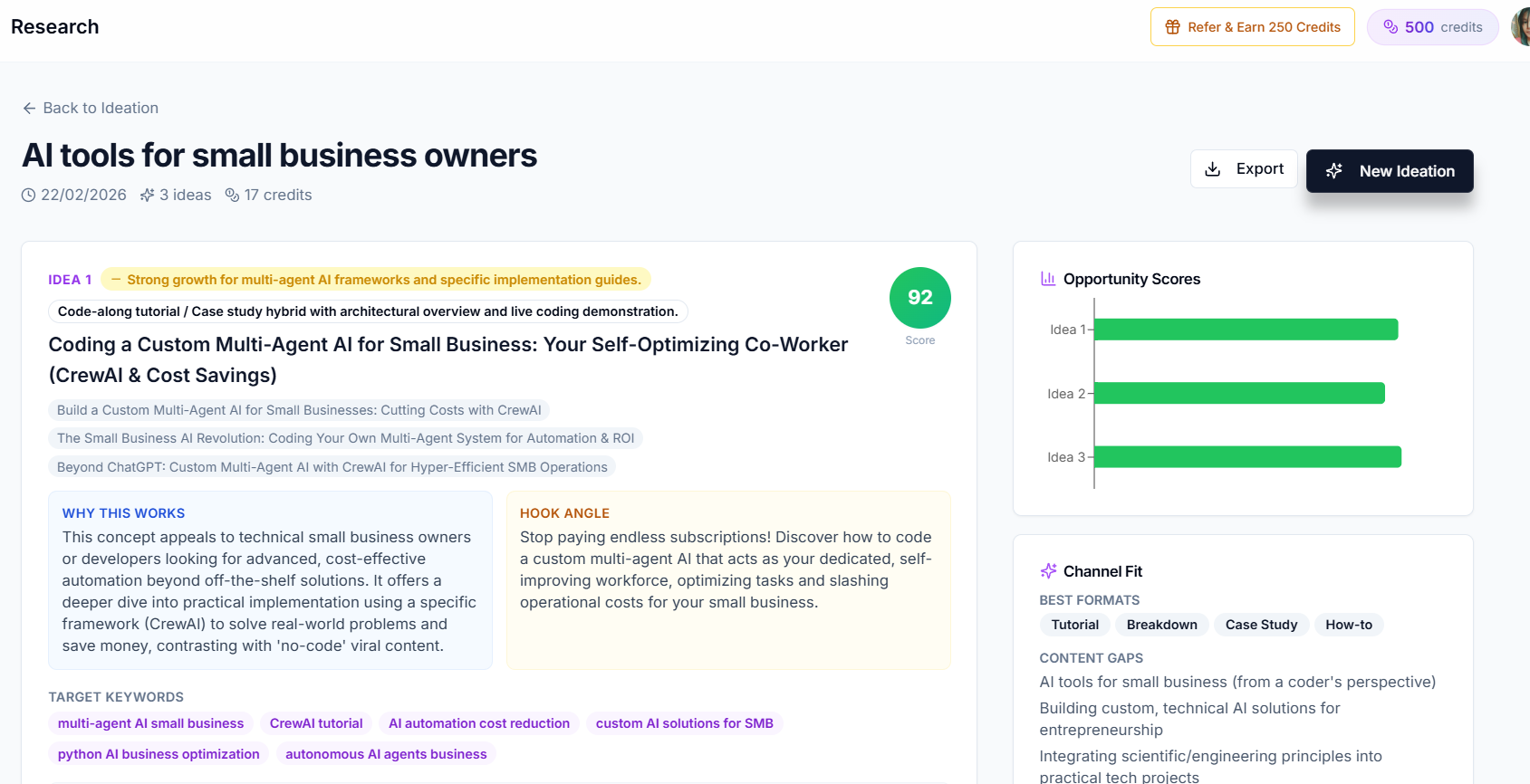
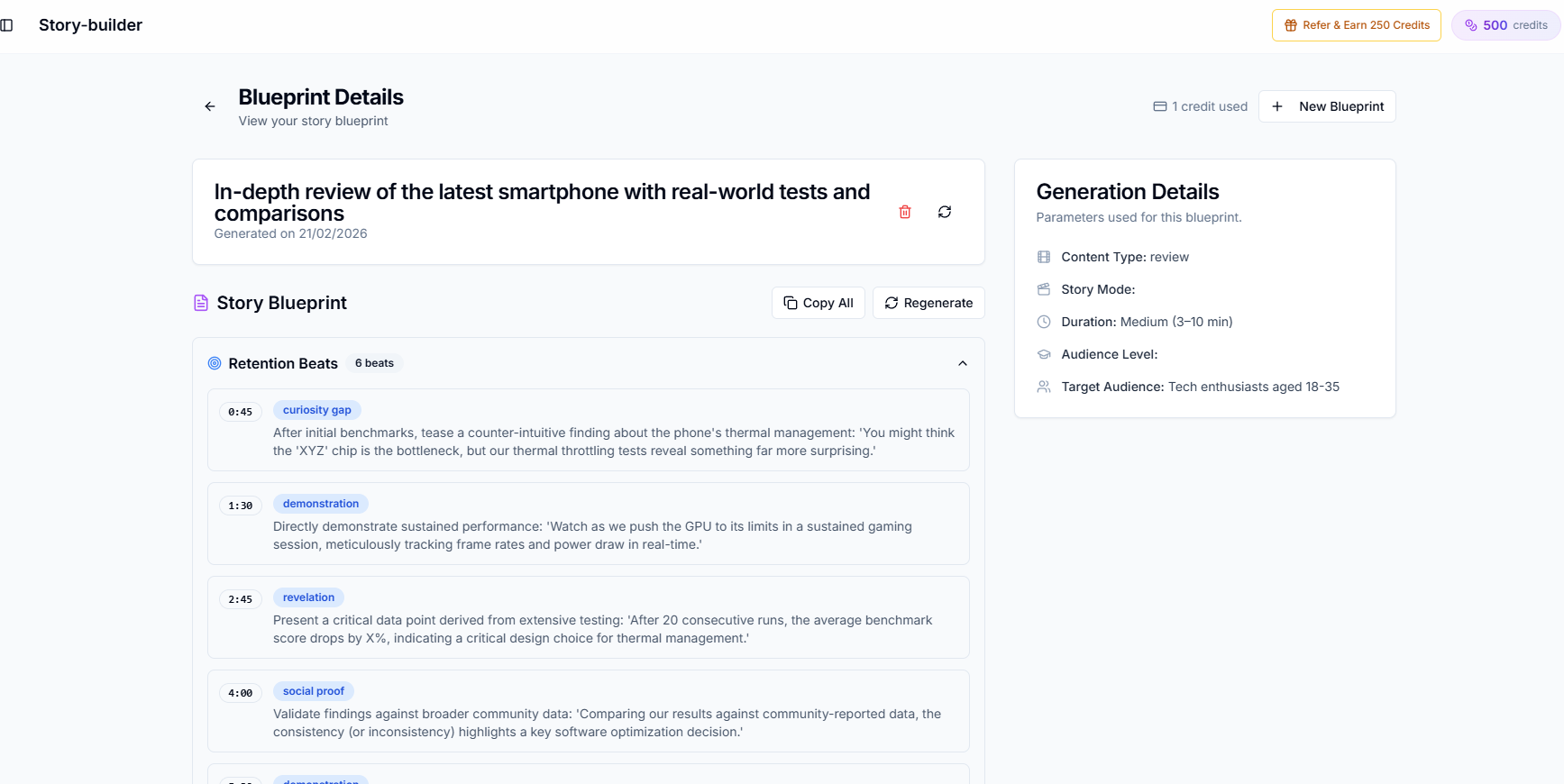
Run one ideation batch a month. Generate far more ideas than you need, twenty against a weekly schedule, so that rejecting fifteen costs nothing. Creator AI's ideation does this in a single run: it reads the channel intelligence learned from your videos, pulls live trend data, synthesises ideas against both, checks them against your last ten runs so nothing repeats, and returns each idea with an angle, a hook, target keywords, an opportunity score out of 100 and a momentum flag.
Those last two fields are what make the queue sortable, which is the whole point.
The mechanics of that pipeline are covered in the 7-step ideation system, and the tool landscape in our idea generator comparison.
Rule 5: Slot by Momentum, Not by Preference
With a scored queue, slotting stops being a preference argument:
| Momentum | Score | Where it goes |
|---|---|---|
| Rising | High | Next two weeks, while the window is open |
| Stable | High | Buffer and evergreen backlog |
| Stable | Low | Rejected, revisit next quarter |
| Declining | Any | Dated and archived, not scheduled |
Rising ideas are perishable, so they get the near slots. Stable high-scorers are the correct thing to bank, because an evergreen video is just as good in six weeks as it is today, which is precisely what a buffer needs.
Aim for roughly 70 percent evergreen and 30 percent trending across a quarter. Evergreen compounds through search and suggested traffic and forms your floor; trending buys reach now. A channel that is all trending has nothing holding it up when the trend passes.
The Columns Your YouTube Content Calendar Actually Needs
Skip the elaborate template. Six columns, in a spreadsheet you will actually open:
- Publish date
- Working title (from the idea's title variations)
- Status: idea, scripted, filmed, edited, scheduled
- Momentum: rising, stable, declining
- Opportunity score
- Buffer position: is this inventory, or is it due?
Column 3 is the one that saves you. A calendar showing four scripted and zero filmed videos is telling you, on Monday, that Thursday is in trouble. A calendar of titles and dates tells you nothing until it is too late.
Choosing a Cadence You Can Actually Hold
One to three videos a week suits most channels, and weekly is the standard recommendation for creators without a production team. But the number matters less than the predictability: YouTube's own creator guidance has been consistent that a schedule viewers can rely on outperforms raw volume, and the platform's move toward viewer satisfaction as a ranking input rewards deliverable promises over frequent ones.
The test is unsentimental. Take your realistic production hours per week, divide by the hours one finished video genuinely takes you, and round down. If that number is 0.8, you are a fortnightly channel that has been lying to itself about being weekly.
When It Breaks Anyway
It will. Handle it in this order:
- Publish from the buffer. That is what it is for. No apology video.
- Rebuild before you add. Next filming session refills inventory rather than extending the plan.
- Count the withdrawals. Two buffer draws in a quarter means the cadence exceeds your capacity, and the fix is a slower schedule rather than more willpower.
- Never publish filler to protect a streak. A weak upload costs you more than a skipped week, because the algorithm reads the disappointment and your audience remembers it.
What This Buys You
A youtube content calendar with a buffer, a scored feeder and an honest status column removes two specific things: the Sunday-night scramble, and the filler video you upload to keep a streak alive. Neither felt like a strategic problem at the time. Both are why channels plateau.
Get the plumbing right and consistency stops being a personality trait you have to summon every week. It becomes the default outcome of a system that already has next month's videos in it.
Keep Reading
- YouTube Video Ideation: The 7-Step System That Beats Guessing
- 7 Best Spotter Studio Alternatives for YouTube Ideation (2026)
- Story Structure 101: Plan Videos That People Actually Finish
- Fill next month's slots from 20 scored ideas, start free or compare plans.
- References: YouTube for Creators, TubeBuddy on content calendars, Google Trends.