
Your Voice Is Your Brand
On YouTube, your voice is everything. It's what makes viewers subscribe, come back, and feel connected. It's why people watch you instead of the thousands of other creators covering the same topics. Understanding how AI learns your YouTube voice is the difference between a tool that protects that brand and one that erases it.
So when an AI tool strips that voice away and replaces it with generic corporate-speak, it's not just a bad script, it's a brand risk.
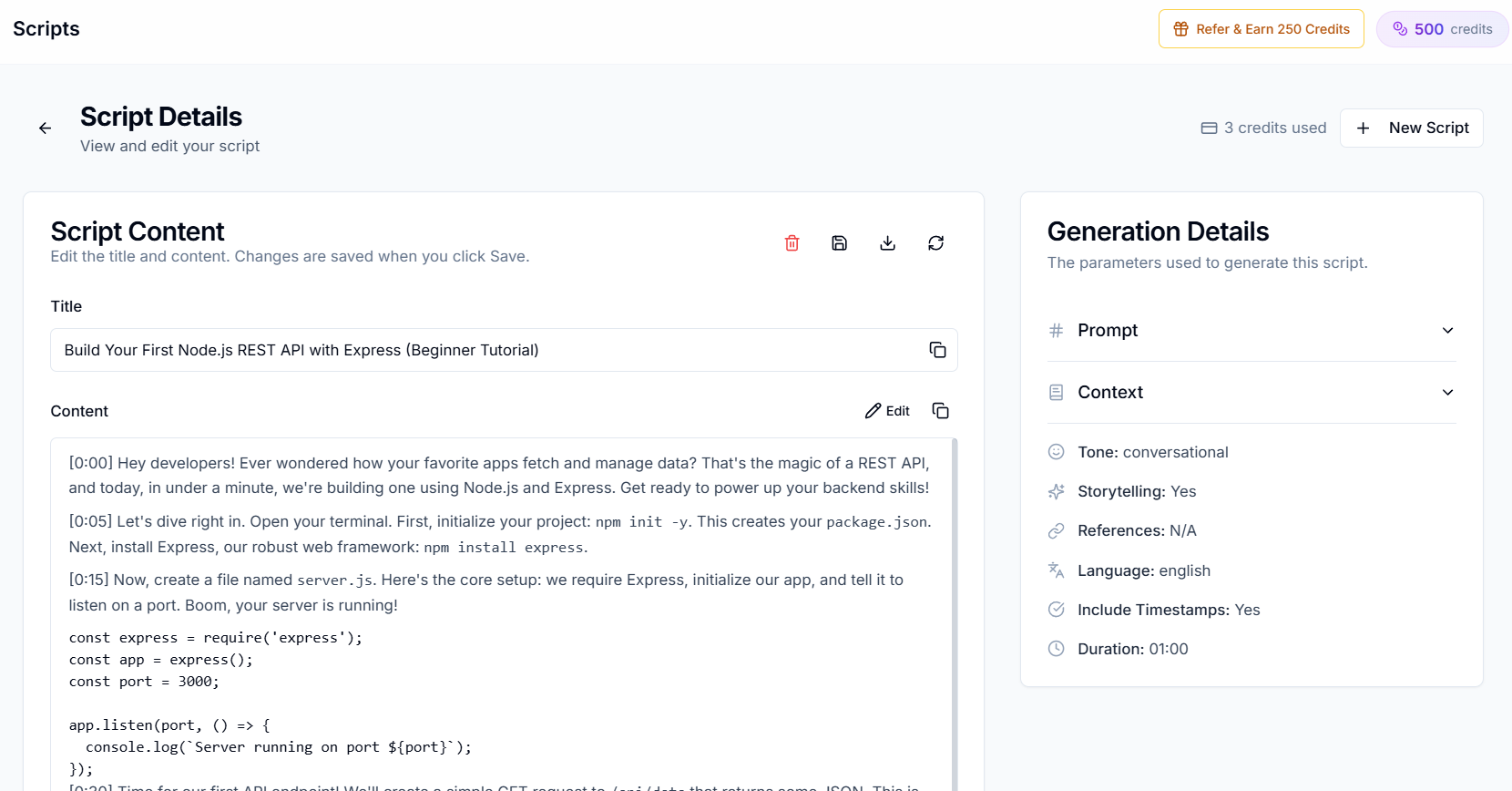
How Creator AI's Voice Learning Works
Step 1: Connect Your Channel
The process starts when you connect your YouTube channel to Creator AI. No complicated setup, just authorize the connection and select 3–5 videos that best represent your style.
Step 2: Deep Content Analysis
Creator AI's AI doesn't just skim your videos. It performs a deep analysis across multiple dimensions:
Linguistic Analysis
- Vocabulary frequency and word choice patterns
- Average sentence length and structure
- Use of slang, jargon, or niche terminology
- Transition phrases and connectors
Tonal Analysis
- Emotional range (motivational, humorous, serious, etc.)
- Formality level
- Use of rhetorical questions
- How you address your audience (direct, casual, professional)
Structural Analysis
- How you open your videos
- Your transition patterns between sections
- How you build to key points
- Your closing style and CTA placement
Step 3: Voice Profile Generation
All of this data gets synthesized into a Voice Profile, a mathematical representation of your content style. Think of it like a fingerprint for your creative voice.
This profile is persistent. It lives in your account and is applied to every piece of content you generate.
Step 4: Generation with Voice Matching
When you create a script, Creator AI uses your voice profile as a constraint on the generation process. Instead of producing generic output and then trying to adapt it, it generates content that's born in your style from the first word.
Why This Matters
Audience Trust
Your subscribers can tell when something doesn't sound like you. AI-sounding content erodes trust and can feel like a betrayal. Voice-matched content preserves the relationship.
Brand Consistency
Every video reinforces your brand. If your voice fluctuates wildly because you're using generic AI tools with different prompts each time, your brand becomes inconsistent.
Time Savings Without Compromise
The whole point of using AI is to save time. But if you spend 30 minutes editing a generic script to sound like you, you haven't saved much. Creator AI's voice matching means the first draft is 90%+ ready, cutting your editing time dramatically.
Generic AI vs Creator AI: Voice Comparison
| Dimension | Generic AI (ChatGPT, etc.) | Creator AI |
|---|---|---|
| Voice source | User's text prompt | Your actual videos |
| Personalization depth | Surface-level tone | Vocabulary, pacing, humor, structure |
| Persistence | Resets each session | Permanent voice profile |
| Improvement over time | None | Gets better as you add more videos |
| Audience authenticity | Low, sounds AI-generated | High, sounds like you |
Why It Matters That AI Learns Your YouTube Voice, Not Just Your Topic
Most "AI for creators" pitches stop at the topic: give it a subject, get back words. But topic is the easy part, a hundred channels can cover the same subject. What separates you is delivery, and delivery is voice. When AI learns your YouTube voice instead of just your topic, three things change.
First, retention holds. Viewers stay for the person they subscribed to, and a script that mirrors your real cadence keeps that promise from the first line. Generic phrasing, by contrast, creates a subtle mismatch that pushes people to click away, and YouTube's systems read that drop-off as a signal to stop recommending you.
Second, output gets faster without getting blander. The reason a voice profile matters is that once AI learns your YouTube voice, the first draft already sounds like you, so editing shrinks from a rewrite to a polish. You keep the time savings of automation without paying for it in authenticity.
Third, consistency compounds. Every video that sounds unmistakably like you strengthens the brand; every off-voice one dilutes it. A persistent profile means the tenth script is as on-voice as the first, which is exactly what a generic chatbot, resetting every session, can never promise. That durability, more than any single feature, is why it matters that AI learns your YouTube voice and remembers it.
Get Started
Connecting your channel takes less than 2 minutes. The voice analysis runs automatically in the background. By the time you're ready to generate your first script, Creator AI already knows how you talk.
The best part is that the profile is never "done." Every video you add sharpens it, so the way AI learns your YouTube voice compounds over months instead of resetting every session like a generic chatbot. A creator who connects five videos today and another ten over the next quarter ends up with a profile that captures not just how they sound, but how their style is evolving. That is the quiet advantage: while other creators re-explain themselves to a blank prompt every single time, your tool already remembers, and every script ships closer to camera-ready. Over a year of uploads, that saved editing time and consistent on-brand voice add up to a real, compounding lead, the kind that's very hard for a competitor on generic tools to close. The earlier you start feeding the profile, the bigger that head start becomes, so the best time to connect your channel is before your next upload, not after.
That's not just convenience, it's a competitive advantage.
Keep Reading
- How to Make AI Scripts Sound More Human on YouTube
- ChatGPT vs a Dedicated YouTube AI Tool: Which Wins?
- Connect your channel in minutes, explore features and start free.
- See how channel data is surfaced in YouTube Analytics.
Frequently Asked Questions
How does AI learn my YouTube channel voice?
Creator AI analyzes 3–5 of your videos across linguistic, tonal, and structural dimensions, vocabulary, sentence length, humor, and how you open and close, then synthesizes them into a voice profile.
How many videos does Creator AI need to build my voice profile?
Just 3–5 representative videos are enough to create an accurate first profile. The more videos you connect over time, the sharper the profile becomes.
Is my YouTube channel data safe with Creator AI?
Yes. You authorize a read-only connection and choose which videos to analyze. The data is used only to build your private voice profile, which stays tied to your account.
Does the voice profile improve over time?
Yes. Unlike generic AI that resets each session, your profile is persistent and gets better as you add more videos, keeping every script consistent with your brand.